
.jpg) 1 hour ago
2
1 hour ago
2

Mojang has joined hands with Paramount and Starfish Studios to release the Minecraft SpongeBob Biomes world. This immersive Bedrock add-on brings the iconic underwater world to life in the game, featuring immersive settings alongside an array of themed cosmetic items.
Here's everything you need to know about the Minecraft SpongeBob Biomes world.
How to get the Minecraft SpongeBob Biomes world
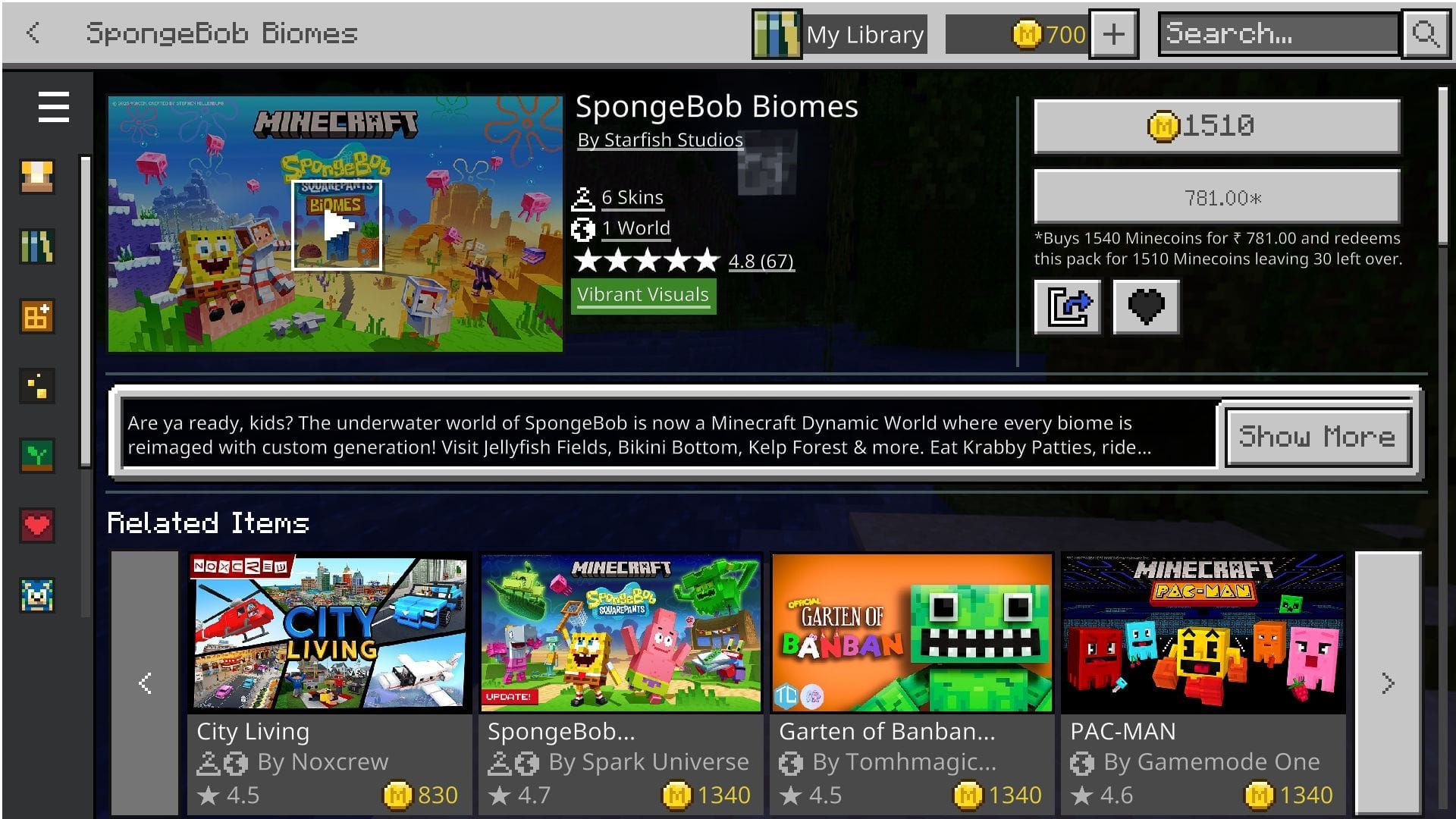 Head to the Marketplace and get your hands on the Minecraft SpongeBob Biomes world (Image via Sportskeeda Gaming || Mojang Studios/Starfish Studios)
The Minecraft SpongeBob Biomes world can be purchased for 1510 Minecoins from the Minecraft Marketplace. Just head to the in-game store and search for it. Alternatively, you can also click this link to open it.
Before claiming the SpongeBob Biomes world add-on, it is recommended that you log in to the game with your official Microsoft account. This ensures the pack is bound to your desired account. Once it opens in the game, click on the 1510 button with the Minecoin logo next to it to purchase the pack. If you do not have sufficient Minecoins, you will get a prompt to purchase them just below the button.
After the world is obtained, download it to your preferred device. This will replace it with a button that will let you activate the add-on and use it in a world of your choice. It is recommended to install the SpongeBob Biomes world in a new save to avoid conflicts with existing add-ons, behavior packs, and resource packs.
Also read: Minecraft goes on sale for 25% off, something that rarely happens
Features of the Minecraft SpongeBob Biomes world
 The SpongeBob Biomes world offers an array of exciting activities set in a custom world (Image via Mojang Studios/Starfish Studios)
The Minecraft SpongeBob Biomes world is an immersive add-on that recreates the iconic underwater world in the game. It features engaging missions where players can defeat and take down the Flying Dutchman by crafting tools and weapons. Mining kelp and other items will let gamers craft unique items that they can use in their interactions throughout the world.
Apart from engaging boss fights, the world reimagines existing biomes with custom generation. Gamers can find and explore iconic structures such as Jellyfish Fields, Bikini Bottom, and Kelp Forest. Each of these biomes contains items and materials that can be used to craft SpongeBob tools and armor.
The SpongeBob Biomes world also adds an array of mobs, both hostile and neutral. The variety of custom assets and characters adds to the immersiveness while exploring this transformed world. Apart from mobs and items, the pack also offers players six free skins that they can sport while diving into the adventures of the pack.
Also read: How to download Minecraft 1.21.11 Iris Shaders
Check out our other Minecraft articles:
- How to get and use the Reese's Sodium Options mod
- Cool ways to use shelves
- How to get boss mob spawn eggs
- How to sort items using a copper golem
- 4 best mods to bring mobs to life
- All the Minecraft fishing enchantments explained
Why did you not like this content?
- Clickbait / Misleading
- Factually Incorrect
- Hateful or Abusive
- Baseless Opinion
- Too Many Ads
- Other
Was this article helpful?
Thank You for feedback
Edited by Sayendra Basu
 English (US)