
.jpg) 2 hours ago
5
2 hours ago
5

OneBlock is one of the most interesting custom game modes built in Minecraft. Since Mojang's sandbox title procedurally generates infinite amounts of chunks for you to explore, you have countless blocks to mine and use. Hence, a few people in the community thought of creating a game mode that is opposite to what vanilla Minecraft offers. They created a custom world where you spawn in a world with only one block, which must be mined continuously to progress forward.
Here are the steps to download and kick-start the OneBlock game mode in Minecraft.
Steps to play OneBlock in Minecraft
1) Find and download the OneBlock world
 OneBlock world can be downloaded from the CurseForge website (Image via CurseForge/Crepi)
First, you need to download the OneBlock custom game mode. These game modes are often worlds that need to be downloaded and placed in Minecraft's directory. Though there are several variants of the OneBlock game mode, here is one of the most popular ones on CurseForge, with over eight million downloads.
Simply head to the website, select the 'files' tab, and then download the latest version, compatible with Minecraft Mounts of Mayhem 1.21.11.
2) Transfer world to Minecraft's directory on PC
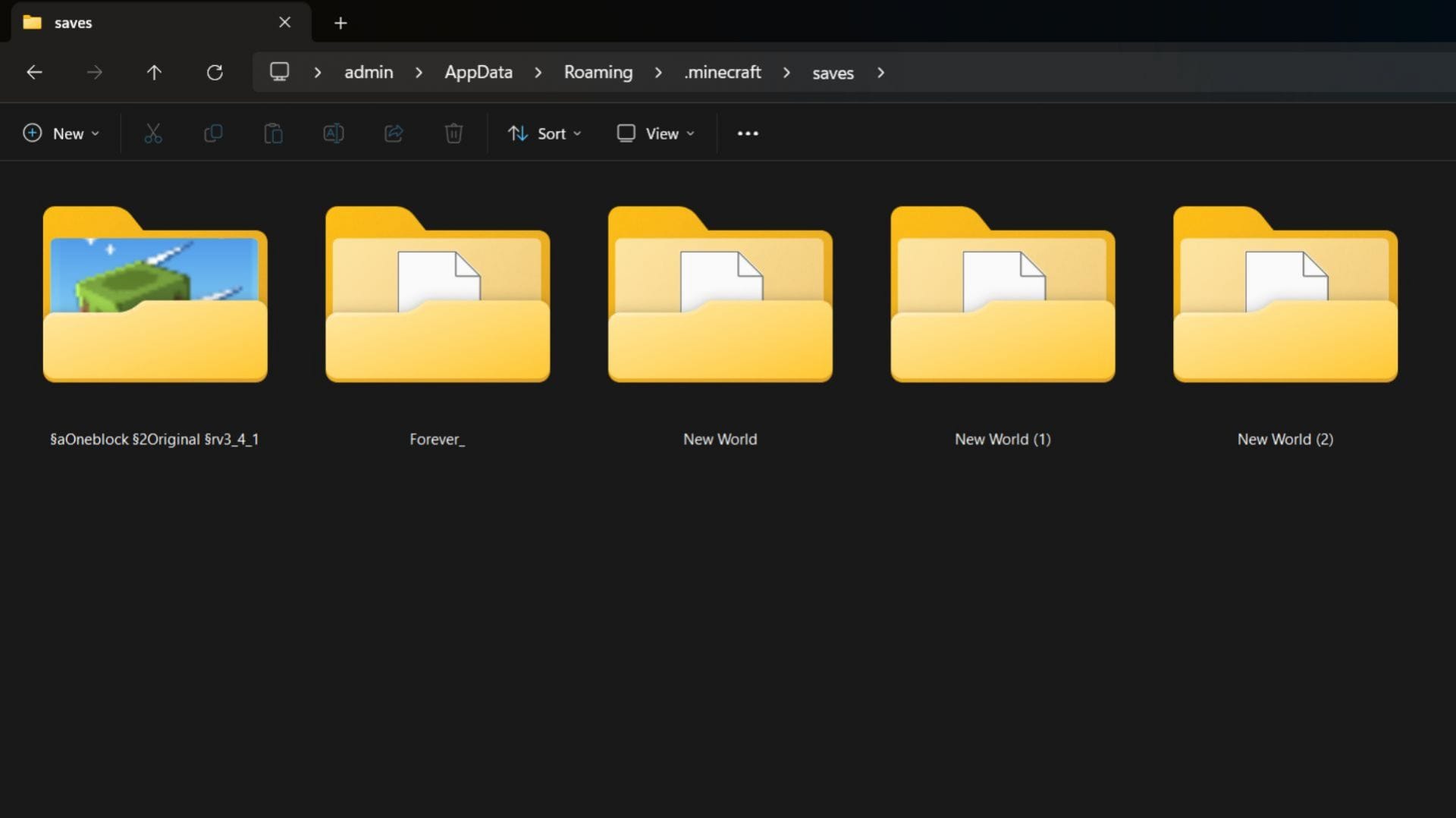 The world must be extracted to the world saves folder in the game's directory (Image via Sportskeeda Gaming)
The world that you download will be in a zip file. You must extract the world folder from the zip file and transfer it to Minecraft's directory on your PC. For me, it is located in "C:\Users\admin\AppData\Roaming\.minecraft\saves". This is where Minecraft worlds are saved. To access OneBlock's world from the game, it should be placed here.
3) Open Minecraft and enter OneBlock world
 Start the latest version of the game and find the OneBlock world (Image via Sportskeeda Gaming || Mojang Studios)
After you place the world in the "saves" folder, close the folders and open the Minecraft launcher. Select the latest release, which is 1.21.11, and start the game. If you have placed the world in the correct folder, it will show up in the single-player world list. Simply click on OneBlock to start the new world.
4) Playing and progressing in OneBlock world
 OneBlock can be mined infinitely to get new blocks (Image via Sportskeeda Gaming || Mojang Studios)
Once you open the new OneBlock world, you will spawn on a single grass block with no terrain or other blocks in sight. The trick is to mine the grass block below you, even though it may feel a bit scary. This is because this one block can infinitely reappear the moment you break it.
Basically, this one block at the center of the world will keep reappearing and changing into other blocks like wood, stone, iron ore, and more. There will be several stages of progress, which will be seen at the top of the screen. After each, the type of blocks that can spawn from that one spot changes.
As the picture above shows, a player starts breaking the grass block and gradually collects enough dirt to build a larger platform. Soon enough, the player also starts getting oak logs, which can be used to create basic tools. Like so, one can progress in OneBlock.
Check out our latest articles on Minecraft:
- Minecraft player showcases beautiful Halo-inspired map
- How to make cactus grow faster in Minecraft
- Minecraft Mystical Agriculture mod guide
Why did you not like this content?
- Clickbait / Misleading
- Factually Incorrect
- Hateful or Abusive
- Baseless Opinion
- Too Many Ads
- Other
Was this article helpful?
Thank You for feedback
Edited by Akshat Kabra
 English (US)