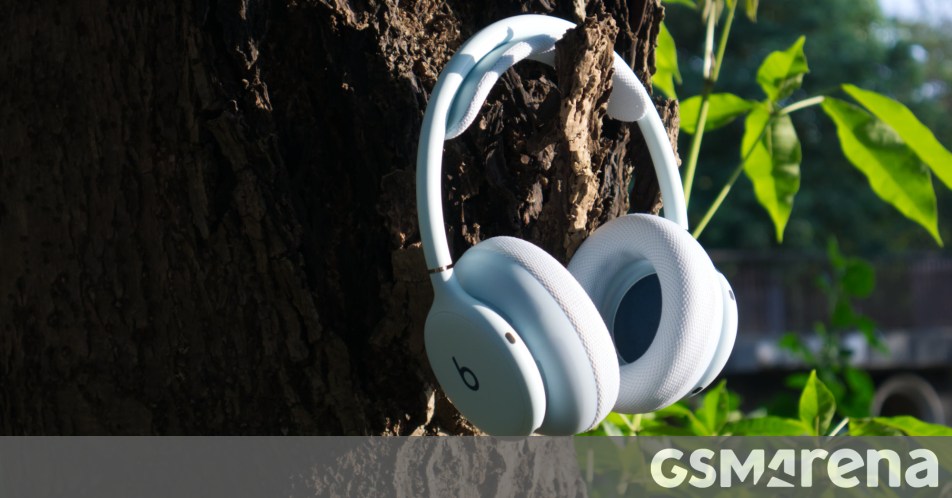
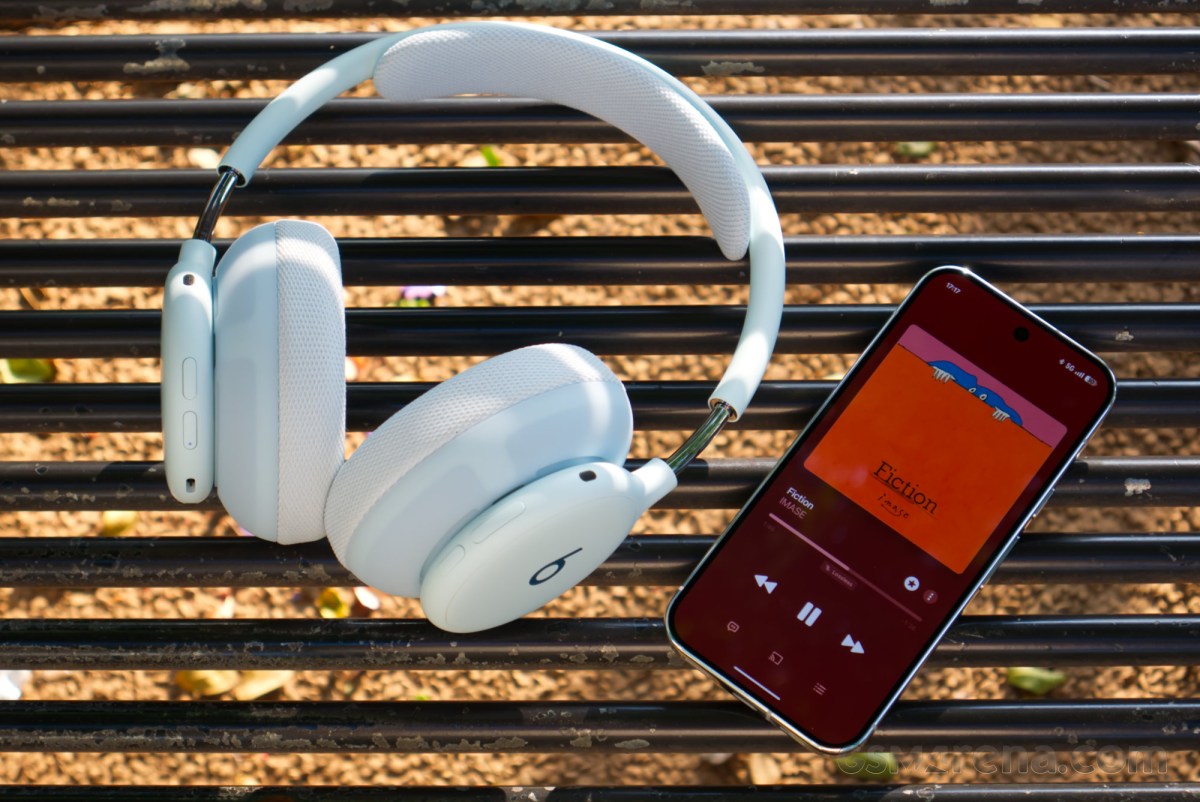
The Beats 360 are the newest pair of headphones from Apple-owned Beats by Dre, and are aimed specifically at those looking for a pair of headphones to use during workouts. They have a lightweight, durable design as well as IPX4 water and sweat resistance. The mesh fabric ear cups and headband are also removable and easy to replace, with multiple color and material options.
The Beats 360 could also be seen as a more affordable alternative to the Apple AirPods Max 2, with many of the same Apple-exclusive features, plus Android compatibility, thrown in for good measure. At the $350 asking price, the Beats 360 aren’t particularly affordable by themselves, but with the Max now costing a cool $549, perhaps something like the Beats 360 is exactly what you were looking for, especially if you really were looking for a gym companion. But how do they perform? Well, let’s find out.
Design
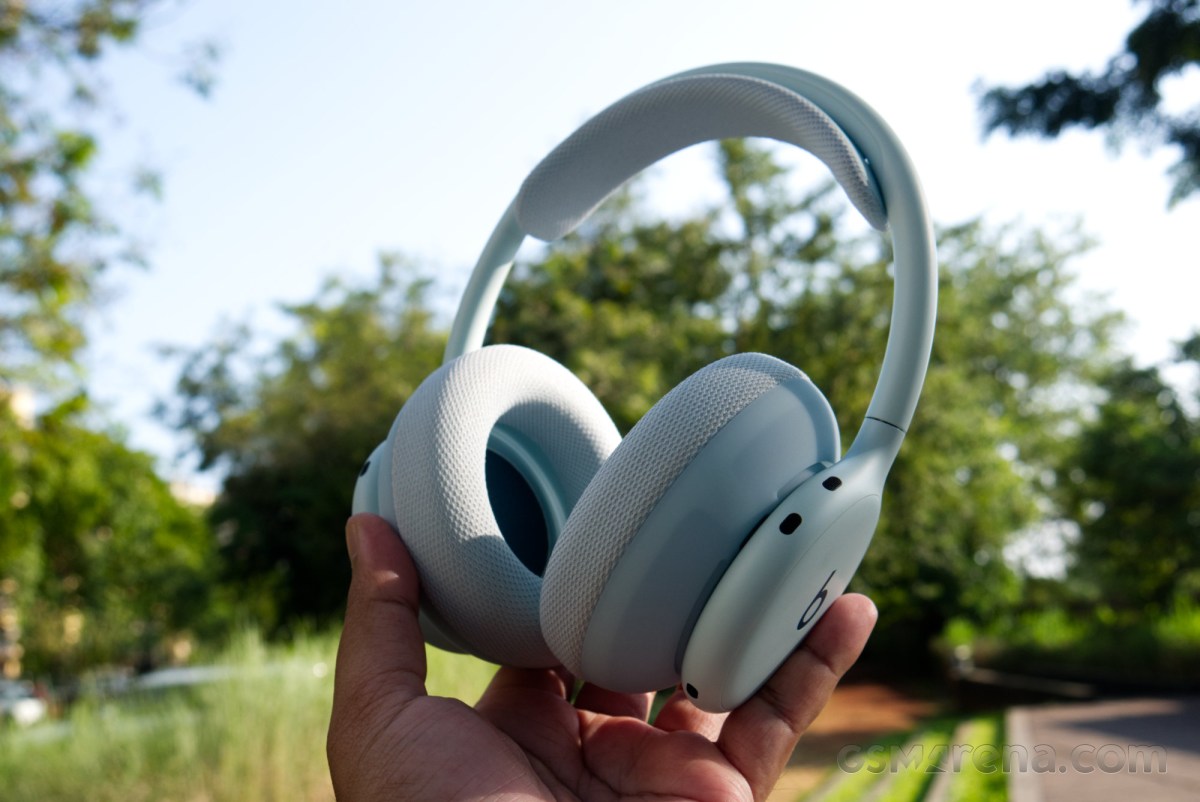
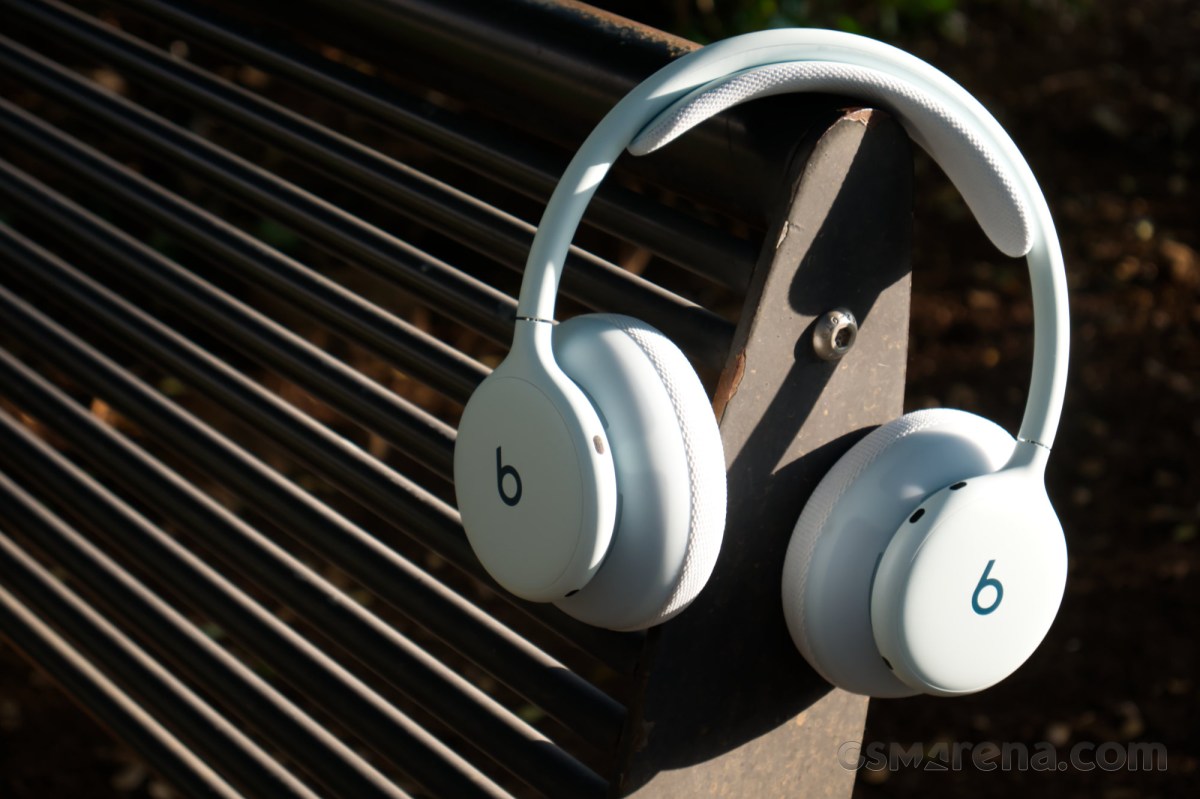
The Beats 360 have a clean, subtle design language that conveys the workout-centric approach of the product with the modern Beats sophistication and elegance. The core structure of the headphones strikes a very minimal profile, and is mated to chunky ear cushions and a headband that are encased in a fabric mesh.
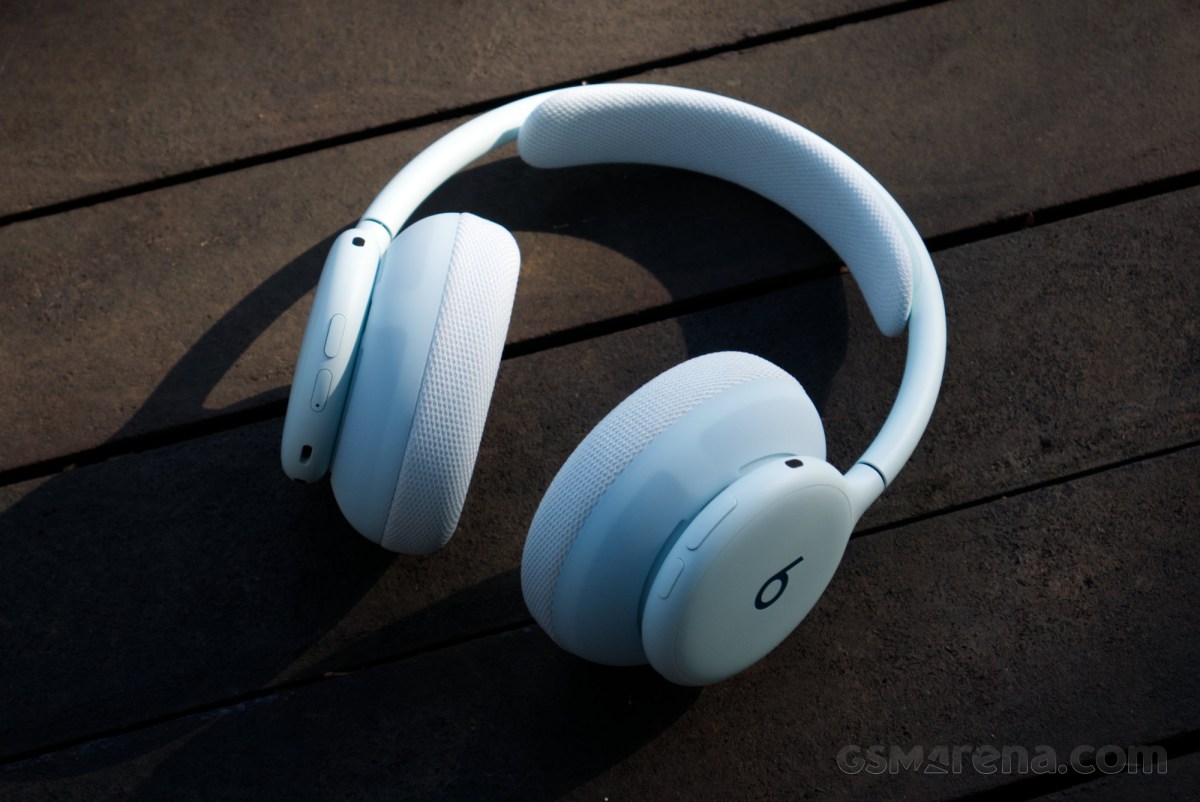
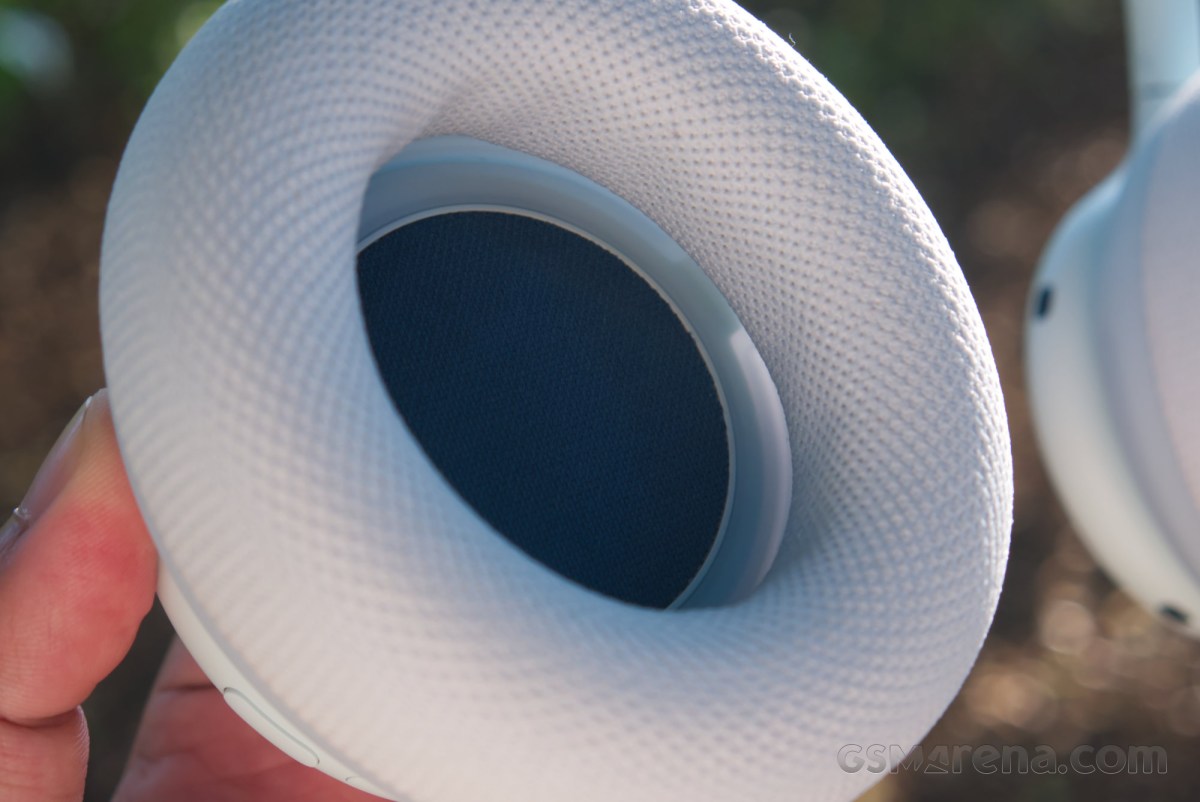
The ear cushions are generously proportioned with a dense foam padding inside. The opening might not seem particularly large — and it isn’t — but once your ears are through, there is a cavity inside where even larger ears can sit comfortably. The cushions also have adequate depth to them so that your ears typically don’t come in contact with the speaker grille.
Attached to the top of the headphones is the headband, which is covered in a similar mesh fabric as the cushions. However, unlike the ear cushions, the headband foam isn’t especially thick, and only offers minimal cushioning.
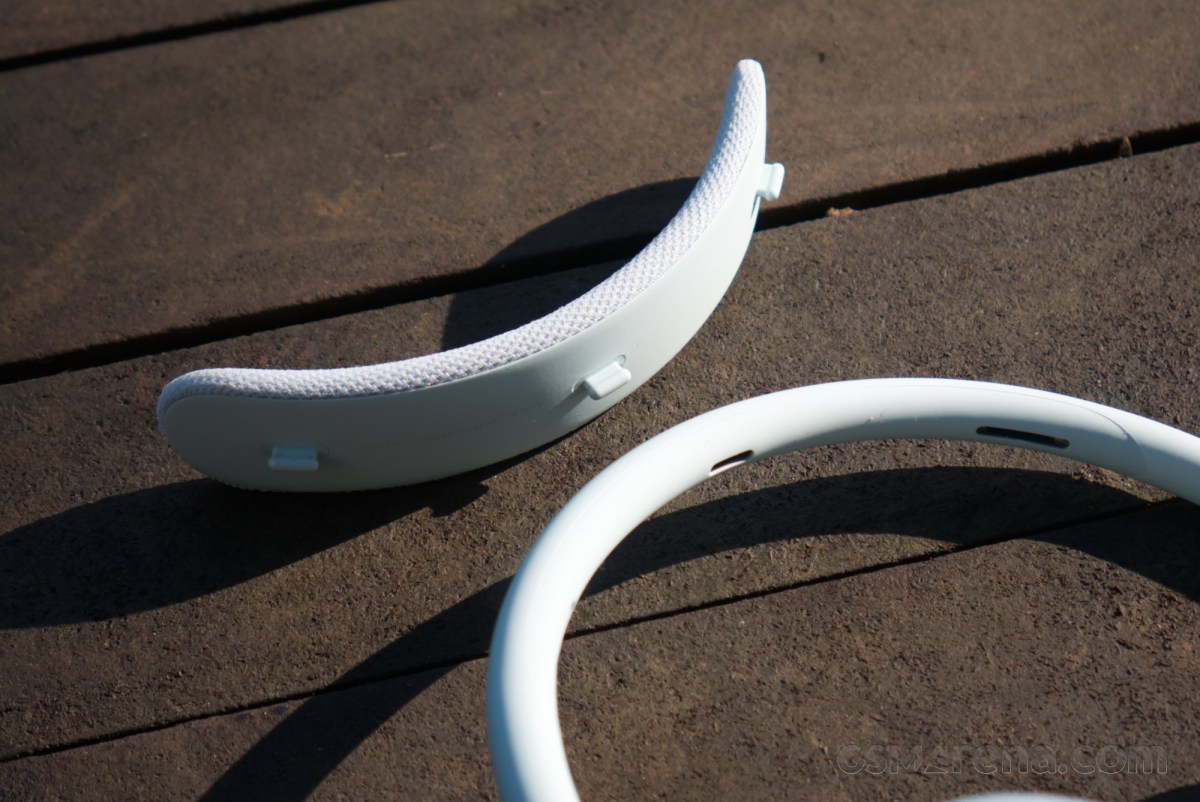
The party trick with the Beats 360 is that the ear cushions and headband are replaceable. The cushions come off with a simple twist, and the headband can be popped off by tugging at it. This makes it easy to replace these parts should they stain or wear out over time.
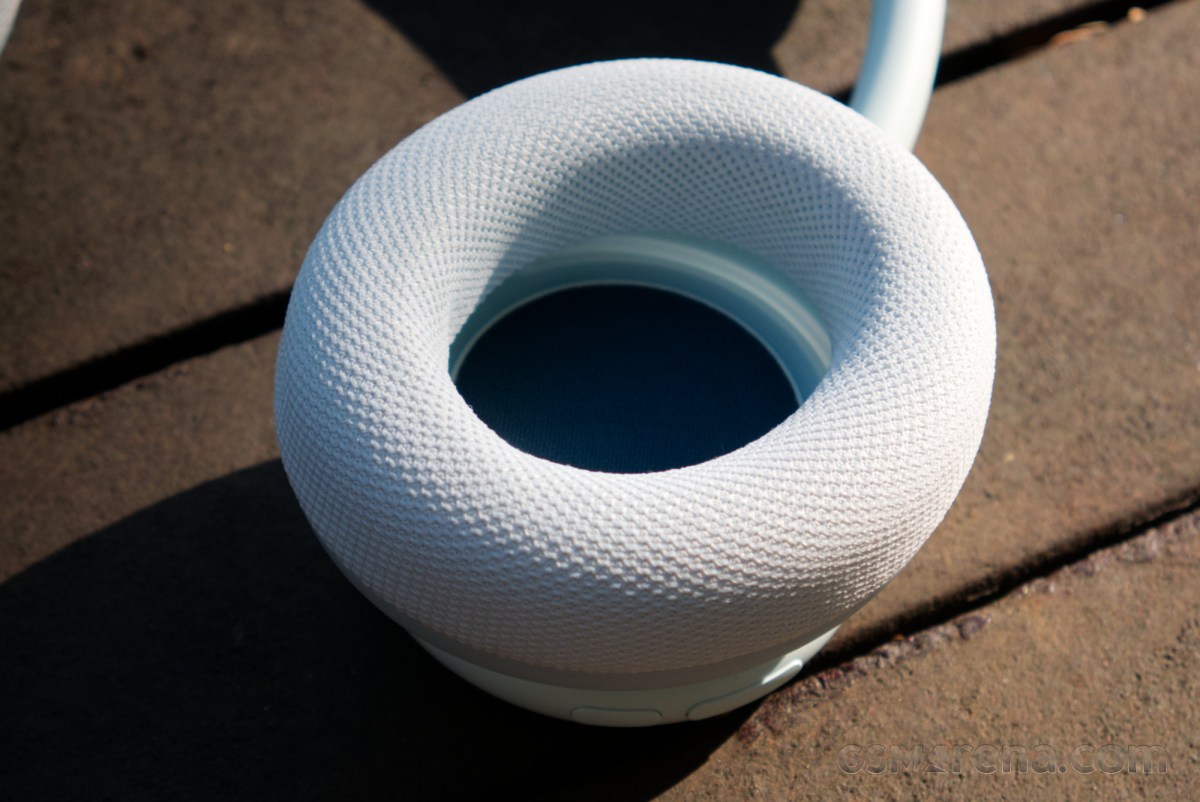
Beats sells replacement cushions and the headband as part of a kit, which includes all three components in a set. This means you can’t exactly replace only one ear cushion or just the headband should you need to, and have to buy the entire set.
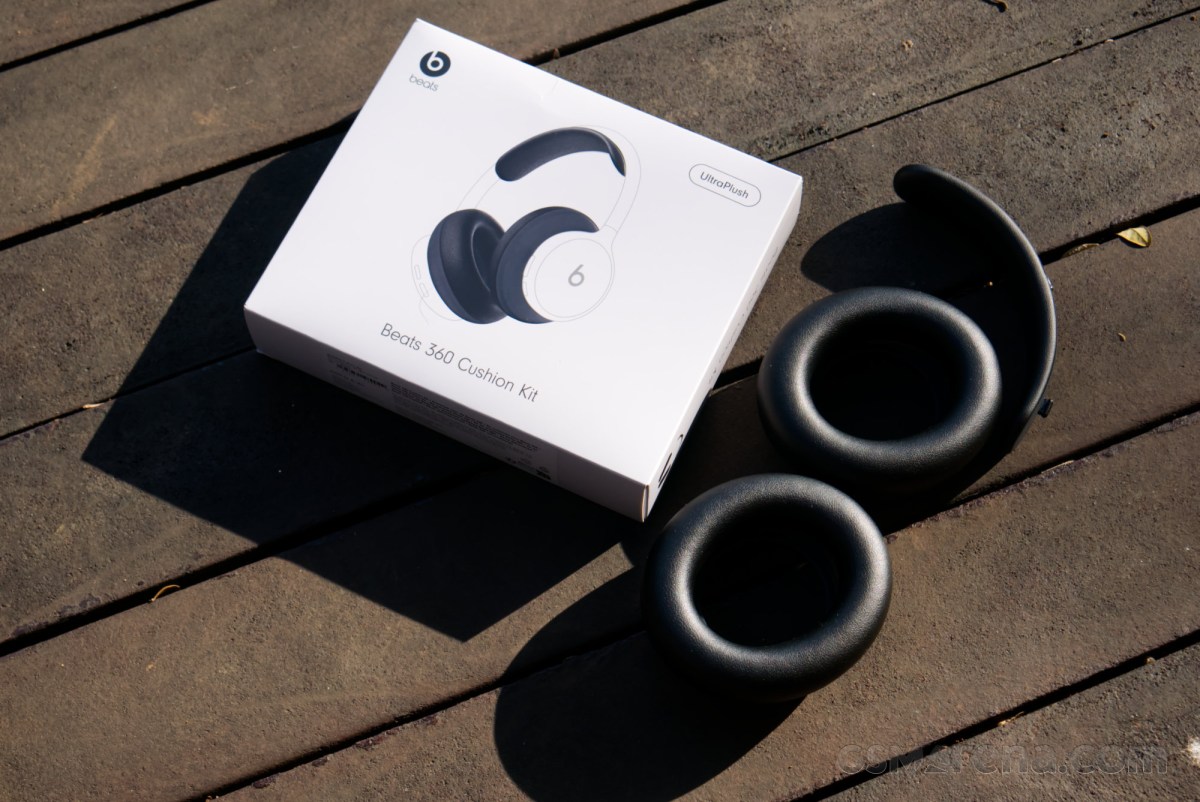
The cushion kit is available in six colors and two materials. The Performance Knit has the cushions and headband in the same fabric mesh material as the default set that comes with the headphones. These can be purchased in Black, Cloud, Sky, Pink, Navy, and Volt. Additionally, you can also opt for the UltraPlush set, which replaces the fabric mesh with seamless leather while maintaining the same memory foam on the inside. This set is available in Black and Cloud. The headphones themselves are available in Black, Cloud, Pink, and Sky with a matching set of Performance Knit attachments.
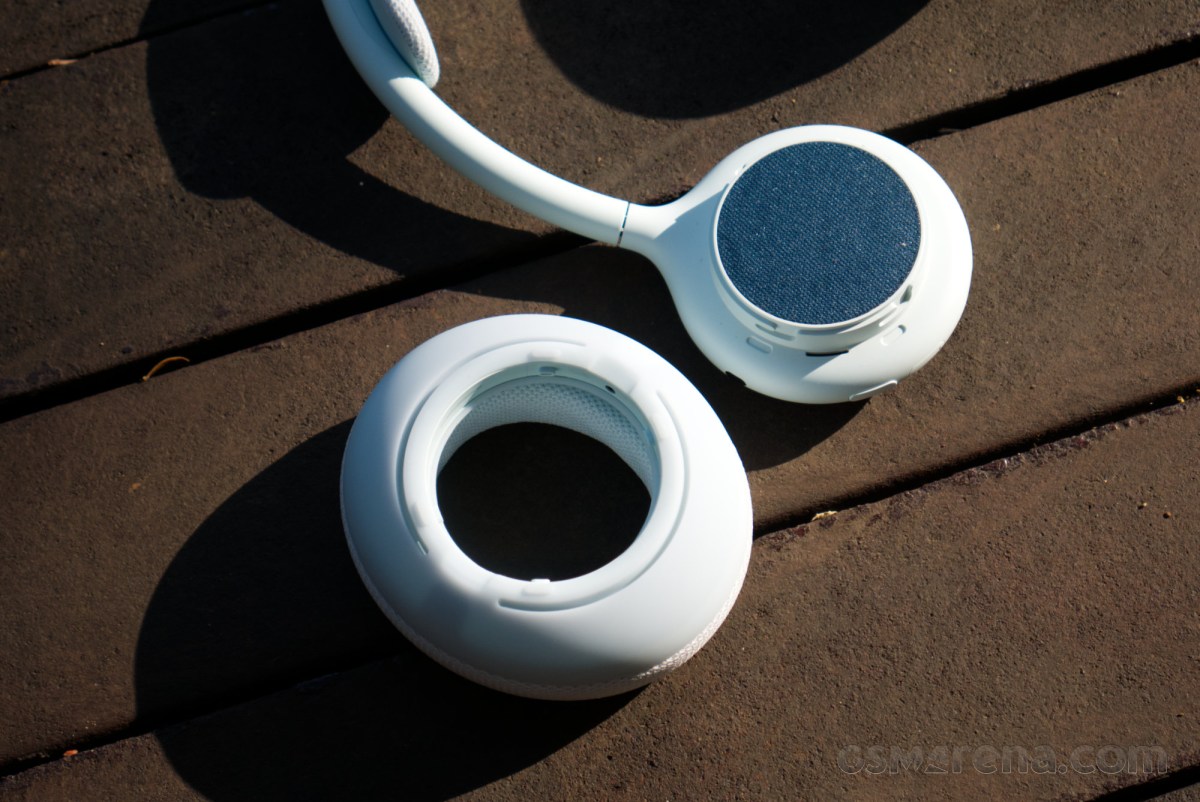
Since the attachments are easily hot-swappable, the Beats 360 can be customized with different color and material options. We received the Sky variant for the headphones along with the UltraPlush cushion set in Black, which creates an interesting two-tone effect. You could also just go crazy and have the headphones, each of the two ear cushions, and the headband in a completely different color from one another. The Cushion Kit typically costs $50 but is currently being sold at a $10 introductory price.
The other good thing about the design of the Beats 360 is that it is IPX4 rated. It’s not typical for full-sized headphones to have water or splash resistance, and this means the Beats 360 can be comfortably used outdoors in the rain or near the pool with water splashing without risk of being damaged. Do note that the rating only protects the headphones from splashes and not submersion or strong jets of water, like in some showers.
When you remove the ear cushions and the headband cushion, you realize just how small the actual headphone frame is. The headband, in particular, is quite thin. Beats is able to achieve this by essentially doing what Apple did for the AirPods Max, which is to have all the electronics mirrored in each of the ear cups, so there is minimal data that needs to be sent over the headband. Most wireless headphones have the battery, electronics, and the antenna in one ear cup, and that data is then sent over to the other side through the headband, which needs to be wide enough to accommodate those cables. The two ear cups on the Beats 360, much like on the AirPods Max, work independently as self-contained units, and only minimal information, such as the power for charging both batteries, is sent over the headband.
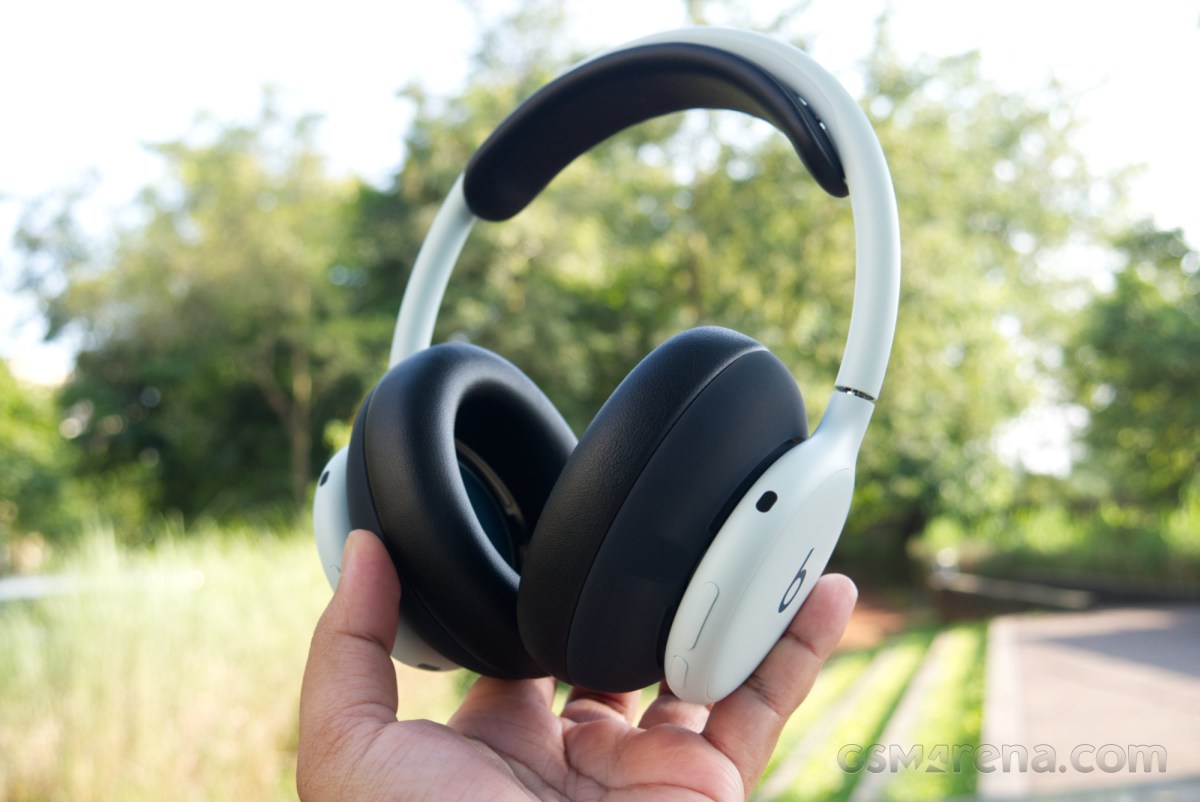
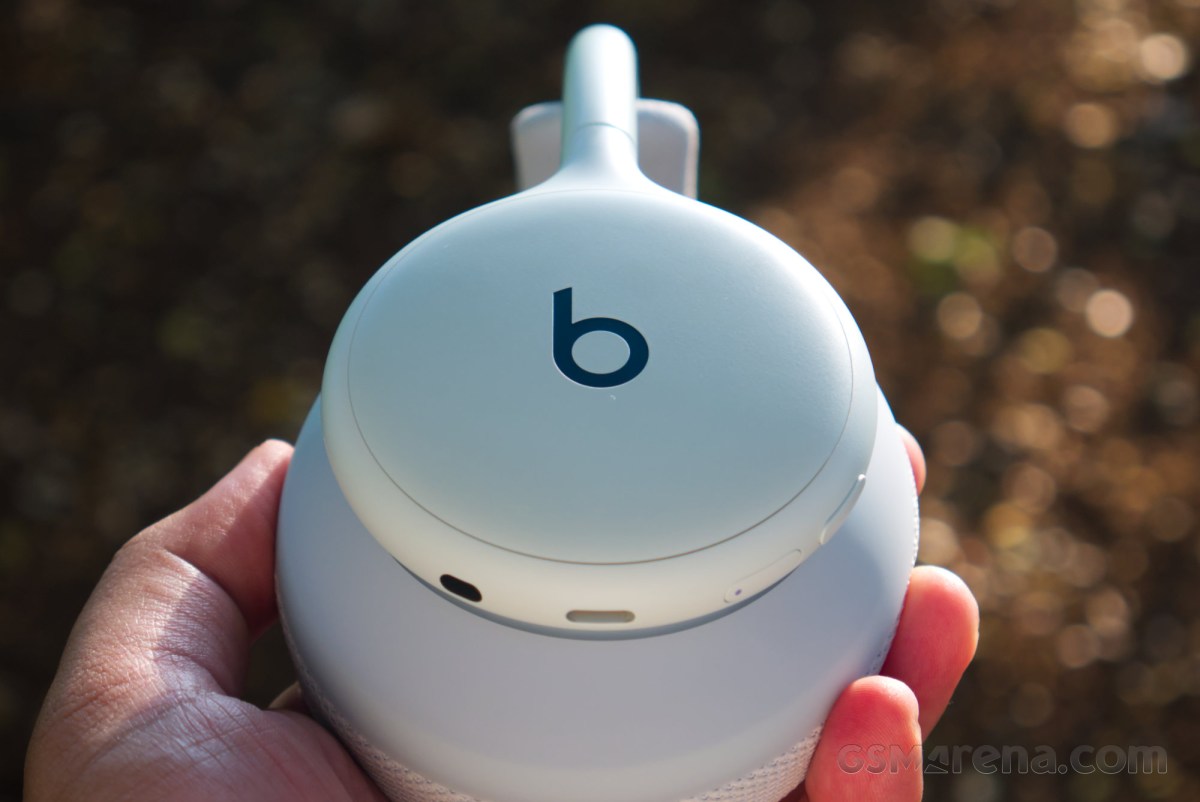
Unlike the relatively minimal setup of the AirPods Max, the Beats 360 has multiple physical buttons everywhere. On the left ear cup, you will find the power button with a built-in LED, along with the button to switch the ANC mode. On the right side are the play/pause button and the volume rocker. For whatever reason, it took me several days to wrap my head around the button placement, and I would end up pressing the ANC button for play/pause and vice versa. Eventually, I taught myself that all the playback-related buttons are on the right, and then things got easier.
The build quality of the Beats 360 is good. All the plastics feel premium and durable, and all the moving parts have a quality feel to them. The various attachments attach and come off without much fuss. I will say, however, that purchasing these headphones in one of the several lighter pastel shades is a fool’s errand, as the material will stain easily. I would personally go with the Black headphones and maybe optionally the Navy cushion kit if I want some color. For the UltraPlush, you could go with either color as the leather won’t stain as quickly as the fabric mesh.
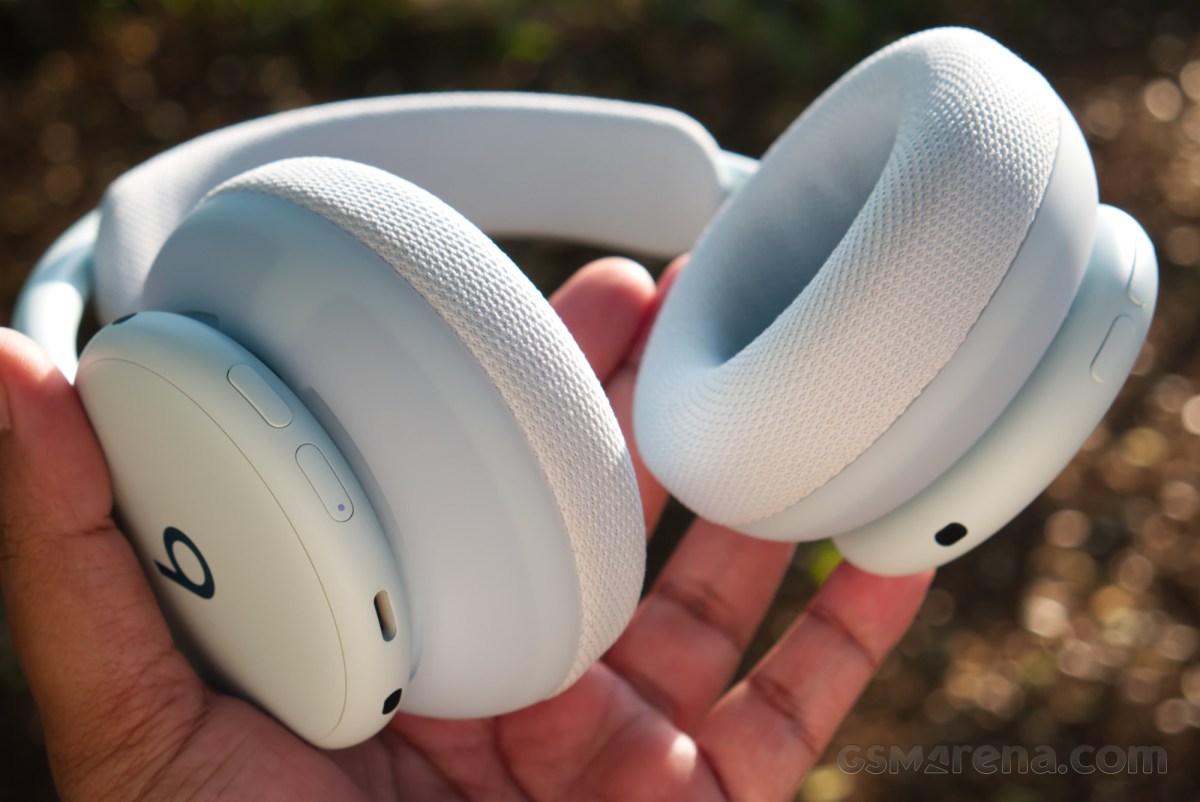
It’s also worth noting that the fabric mesh covering the speaker grille isn’t removable. It looks like something that could also stain over time, and it would have been nice if it were also removable for cleaning purposes. Making it part of the ear cushion would have solved this.
Comfort
Comfort, unfortunately, is once again a point of contention for a Beats/Apple product. The two main culprits here are the clamping force and the limited headband articulation, which were also an issue on the AirPods Max.
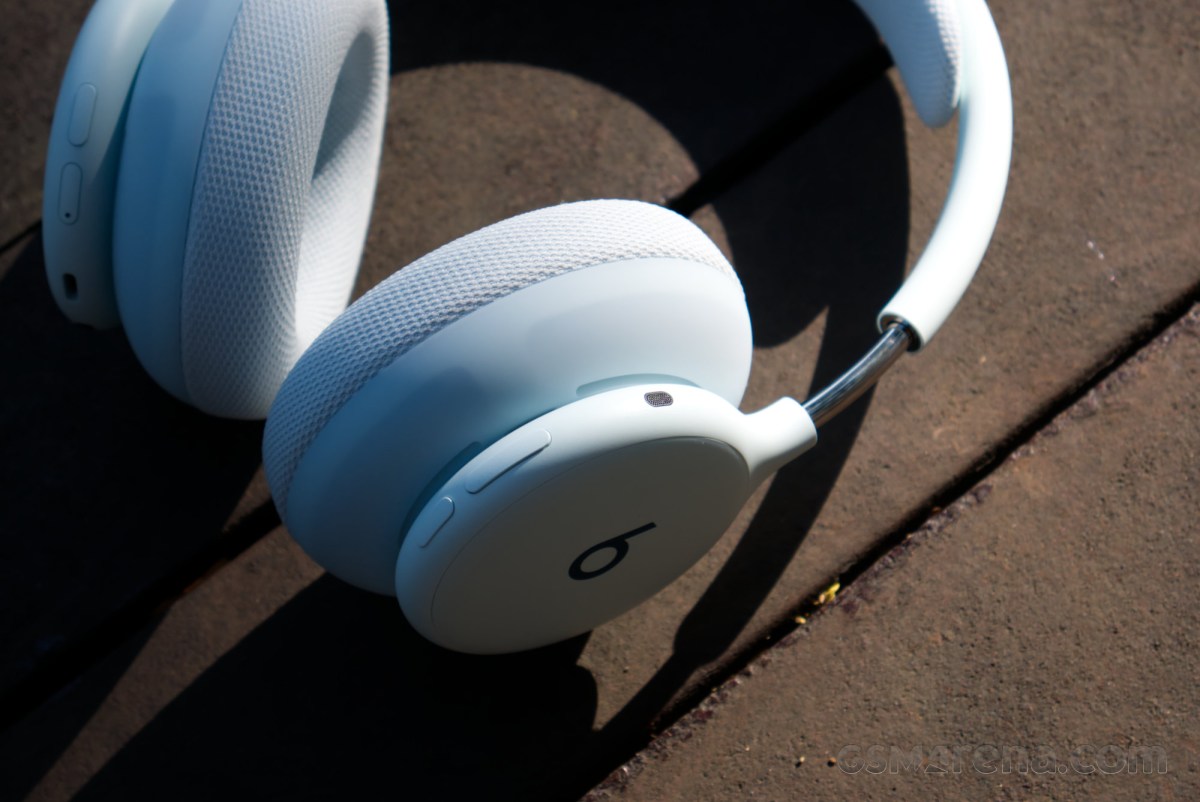
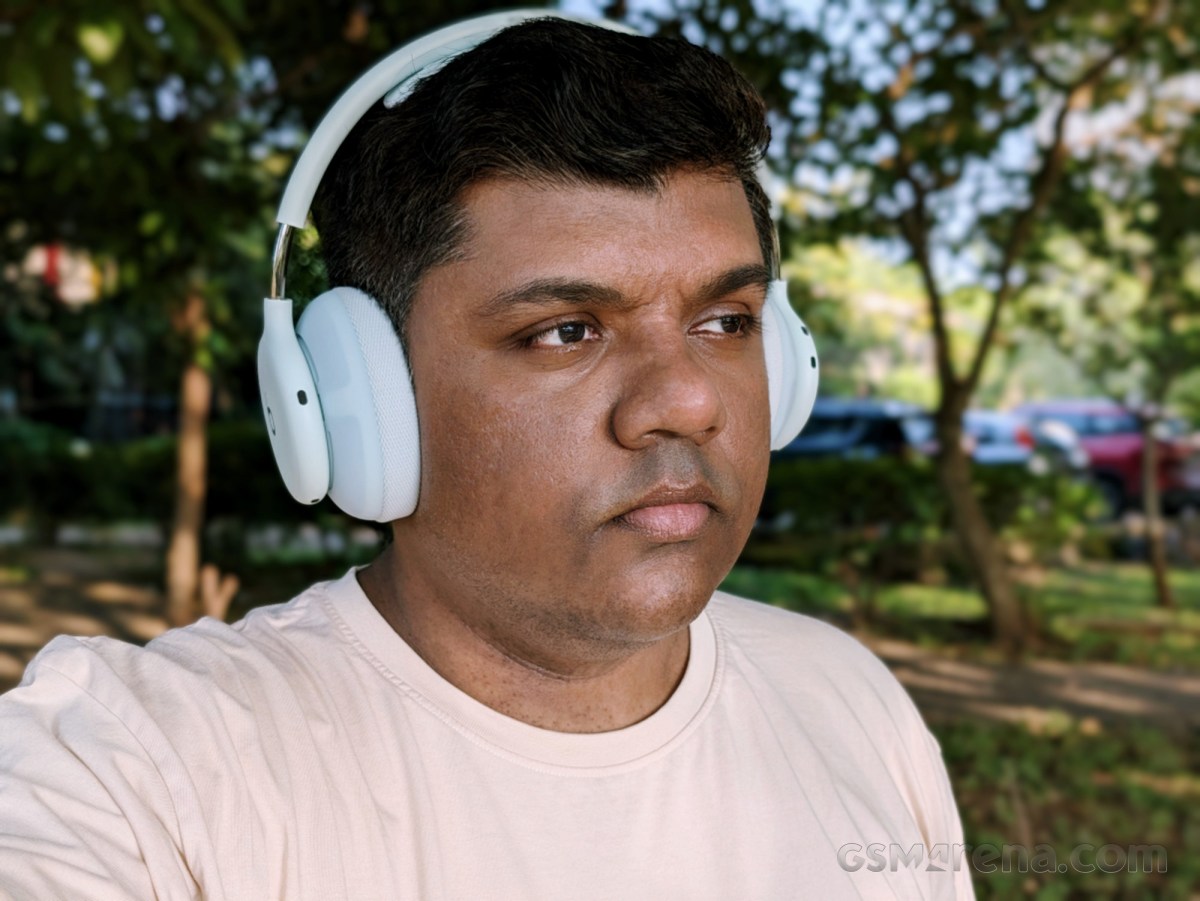
I’ve been reviewing headphones for almost two decades at this point, and on every one of them, I’m usually somewhere halfway between the travel of the headband length adjustment on either side to fit my head comfortably. Yet, first with the AirPods Max and now with the Beats 360, even fully stretching out the headband barely manages to clear my ears. The Beats 360 have the same stepless telescopic metal sliders as the Max that run out of travel after about 3cm on either side. It’s not clear what Apple’s concern is regarding providing longer travel to the adjustment slider, and I sincerely hope it’s not related to the aesthetics of the headphones, but the result is headphones that will struggle to fit on bigger and especially taller heads.
The other issue is the clamping force. Much like the Max, the Beats 360 clamp you with the fury of a pneumatic vise, which gets very tiring, very quickly. Beats makes this worse by not having proper vertical axis movement for the ear cups. Instead of having an articulated joint that allows free vertical movement of the cups as on most headphones, Beats instead relies on the rubbery cushion material to flex to provide some vertical movement. This makes the pressure distribution uneven, as the ear cups cannot bend properly to align with the side of your head, putting more pressure on the upper or lower curvature of the cup, depending on how much you extend the headband.
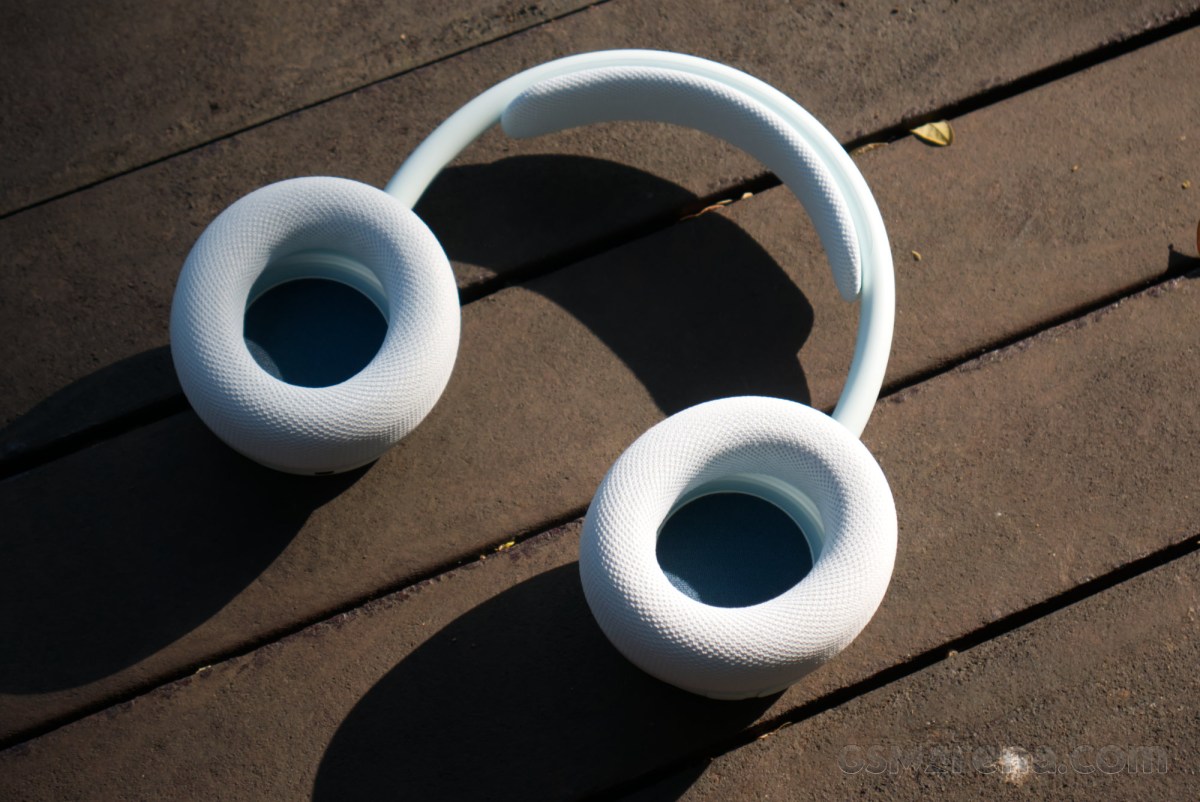
It’s likely the two aforementioned aspects work together to amplify the discomfort for me. After all, increasing the headband length also generally increases the clamping force, and since I’m at the limit of the headband length on these headphones, I’m also experiencing maximum clamping pressure. If you have a smaller head, you might not have the same issues that I did, but it is something to keep in mind.
The mesh fabric on the cushions is good from a durability perspective, as even though it may discolor, it does not rip or shred as leather pads do. It also doesn’t stick to your skin when it’s hot and generally feels less suffocating. However, the material doesn’t feel great on the skin, especially when you’re just sitting comfortably at home and not working out.
Here, the UltraPlush set comes in clutch. The material feels much nicer on the skin, and the foam padding also feels more luxurious, despite being technically similar to that inside the fabric set. The material has more give and adheres to the side of your head more readily. The headband cushion also feels a lot nicer, something the follically challenged are sure to appreciate. While the UltraPlush set doesn’t fundamentally fix the comfort issues with the Beats 360, it does alleviate some of them.
Considering how much of a difference it makes to the experience of using the product, I do feel like Beats should just be bundling the UltraPlush kit with the Beats 360. Having two different sets of pads to swap between would further drive the urge to buy and use the Beats 360 instead of it just being a paid option that potentially costs a fifth of the price of the headphones.
Software and features
The Beats 360 follow the trend of the other recent Beats products of behaving like a first-party accessory with Apple products while also having full compatibility with other brands. On Android, especially, you get the Beats companion app along with a handful of Android-specific features, and on Apple devices the Beats 360 will show up in the Settings app like AirPods models.
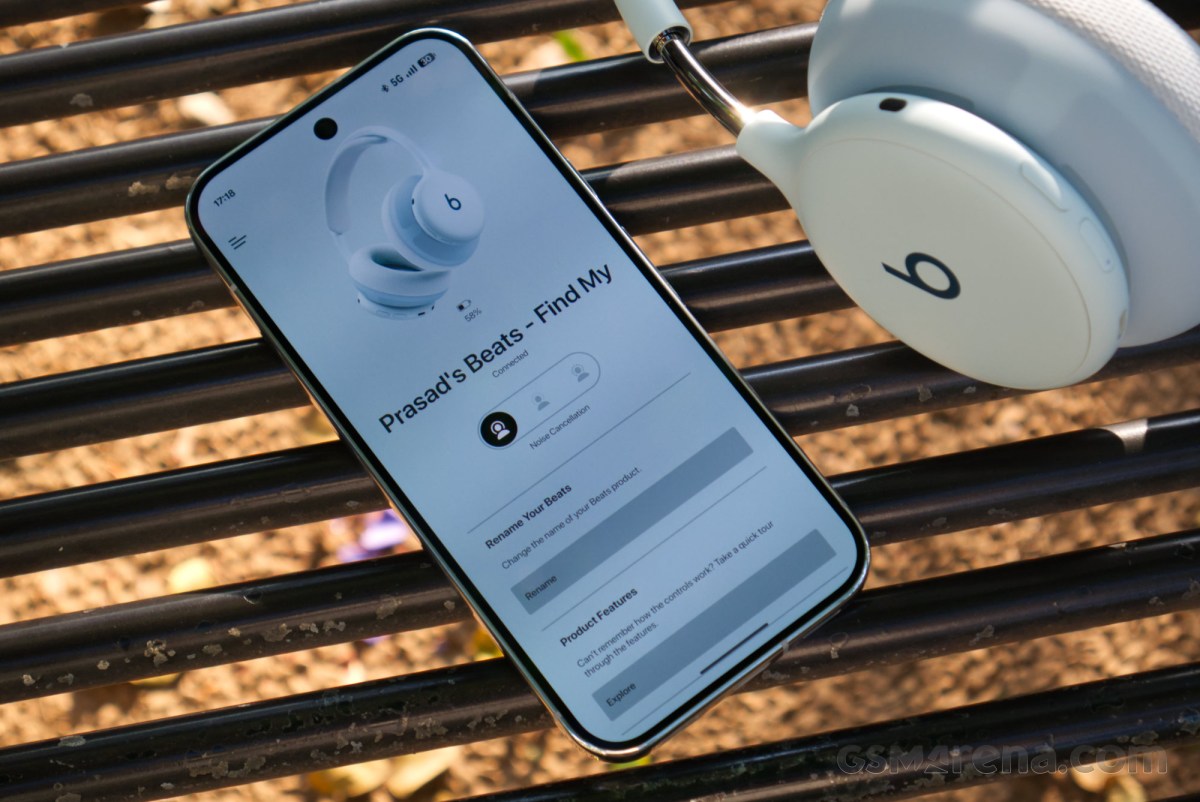
If you’re on an Apple device, you get the one-touch pairing feature that pops up as soon as you turn the headphones on near an Apple device. There’s also iCloud pairing that syncs the pairing across all of your Apple devices on the same account, and the fantastic automatic switching, which instantly switches the headphones between any of your paired Apple products when you play audio on them, without actually being connected to all of them in perpetuity. There’s also hands-free Siri, Audio sharing with other compatible AirPods or Beats products, Find My, and automatic firmware updates in the background. The firmware updates still cannot be manually searched and forced, which is a shame.
On that topic, the Beats 360 were on the 4A262 firmware, which was the latest at the time of testing.
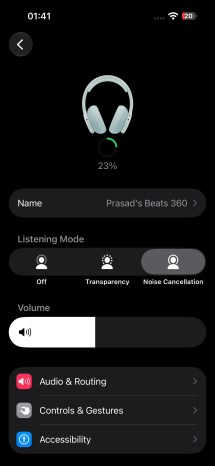
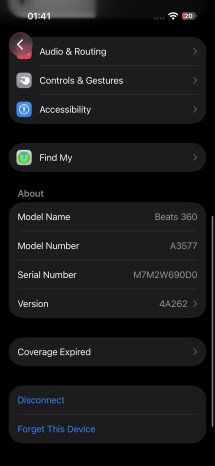

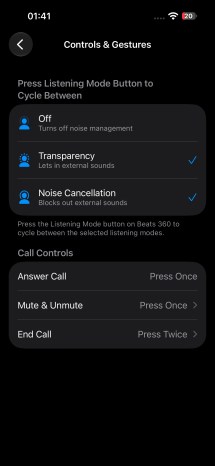
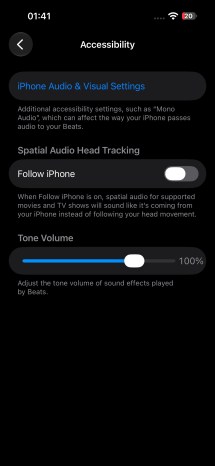

Beats 360 settings on iOS
If you’re on Android, you can still benefit from some platform-specific features, such as Fast Pair, automatic pairing with other devices on the same Google account, audio switch, Find Hub, and voice assistant support. The Beats app for Android controls all of these features, and also has Locate My Beats, widgets, firmware updates (which can be done manually here), and shows battery status in the notifications.
Compared to the AirPods Max 2, there are a few differences here. You do get a power button, which is necessary since the Beats 360 are designed to be paired with non-Apple devices, but I did miss the simplicity of the Max 2, where you just have to take them off your head, and the headphones automatically go into a low-power state and the OS switches to the previously used source for output. The Beats 360 don’t even have a way to detect if you’re wearing the headphones, which means they also cannot pause the music when you take them off your head. The AirPods Max 2, over-engineered as they are, have four sensors for that, one in each ear cup and hinge.
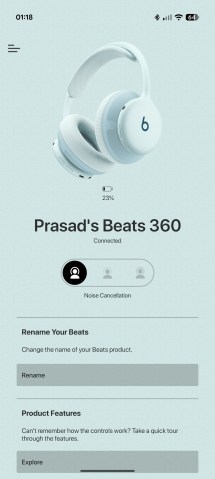
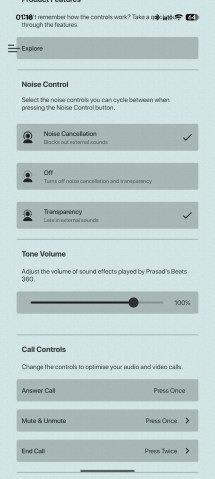
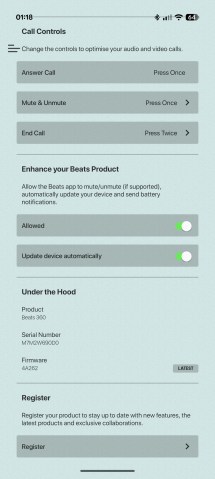
Beats app for Android
Beats says the 360 use the company’s proprietary chip, and not one of Apple’s H-series chips. This means it doesn’t support some features that those chips can enable, and the ones that are available don’t work as well. If I had to guess, Beats is likely using the old Apple H1 without naming it, as it would sound quite outdated now. The feature set coincides with what the H1 supports, and everything missing is what the H2 added. You can see these differences between the H2-enabled Powerbeats Pro 2 and the H1-enabled Powerbeats Fit as well.
Performance
Audio quality
The Beats 360 have a dual-magnet single dynamic driver design of unknown size. The headphones support Bluetooth 5.3 with SBC and AAC codecs. There is no wired audio option.
Like other recent Beats products, the Beats 360 support Adaptive EQ. This feature aims to address a shortcoming of typical headphone design, which is that different people hear the same sound from the same pair of headphones differently due to differences in their ear and head shape. There is a target sound that the Beats 360 wants you to hear, and using the internal microphones, it constantly monitors the incoming sound and adjusts it so you hear that target sound regardless of your ear and head shape, or even the seal of the ear cushions.
The problem is, unlike the newer AirPods models that have Adaptive EQ, the Beats 360 can only provide this feature when ANC is disabled, which means it’s not active all the time. This creates two different sound profiles for the headphones, one with and one without Adaptive EQ.
Let’s start with Adaptive EQ disabled, which is how most people would experience the headphones if they use ANC or transparency mode. The default tuning has a modest bass emphasis with mostly neutral-leaning mid-range and treble presentation.
The bass region has a boosted mid-bass region, which brings some added thump and rumble to the sound. It’s a wider bass shelf than what you get on the AirPods Max 2, which focus more on the sub-bass region for bass boost. This gives the Beats 360 a slightly warmer sound than the Max 2.
The lower mid region has a slight dip, which helps accentuate the bass boost. However, mid and upper mids are reasonably well fleshed out, so vocals and instruments don’t feel muffled and have good body and presence in the mix.
The treble region doesn’t have any particular surprises. It has minor peaks around the 2.5kHz and 5.2kHz regions, along with a few more around 8k and 11k, but there aren’t any significant dips like with the Max 2, which have a gaping chasm in the 4-6kHz range. As a result, the treble on the Beats 360 doesn’t sound peaky, and the overall treble presentation comes across as mostly balanced, if a bit dry.
Switching the ANC off enables Adaptive EQ. Once you give the system a couple of seconds to analyze and update the sound, you notice that the sound now is more neutral-leaning than before. The bass with the Adaptive EQ lacks the sizable thump of the ANC-on mode. The lower midrange is also not as scooped out, which further reduces the emphasis on the bass. The flip side of this is that the sound now comes across more as mid-forward, which isn’t necessarily a bad thing, but could be perceived as being less exciting. The treble region remains unaffected.
To my sensibilities, both tunings sound good. The Adaptive EQ certainly does a great job of achieving a balanced, nuanced tuning that works across genres of music and non-music content. It’s one I’d choose to use if I were more inclined to hear a more analytical rendition without losing the overall musicality (there’s still plenty of bass in this mode). Meanwhile, the sound with the ANC on has a nice punch to it with a slight V-shape due to the dip in the mids, which creates an engaging, exciting sound that I would associate with headphones meant to be used in the gym.
At any rate, I prefer the tuning of the Beats 360 to that of the AirPods Max 2. The latter can be quite V-shaped and lacks some of the taste and sophistication that has gone into the 360’s sound. The treble performance on those is especially frustrating with the big dips and peaks.
The Beats 360 are able to adjust their sound based on the ear cushions that are being used. If you remove even one of the cushions, the audio playback stops, and the device stops being used as a source on Apple devices. It’s only when you put the cushion back on that playback resumes. Not only can the headphones detect the cushion, but they can also detect which type of cushion they are and adjust the audio tuning according to the material. It solves one of the common issues with headphones that have replaceable pads, where changing the pads also changes the sound.
As for the technical performance, the sound isn’t especially detailed or resolving. I feel like the AirPods Max 2 and even the AirPods Pro 3 can extract a bit more detail from the content you’re listening to. The timbre is fine, and everything sounds natural for the most part. What’s lacking is any sense of space or imaging, as the sound is boxed within your head and never seems to leave those confines. This isn’t unique to the Beats 360, as wireless headphones with noise cancelling usually do sound like this, but it is something that can potentially be fixed with software.
Before finishing the audio section, there is one rather annoying issue I would like to point out. The Beats 360 have a shockingly high noise floor that kicks in as soon as the headphones are turned on. There is a persistent background hiss that you can hear when nothing is playing, and once you hear it, it’s hard to unhear. A noise floor like this is something you’d typically find on very entry-level DAC/amp setups, but even that’s increasingly uncommon these days. Where then Apple managed to dig these audio components from for the Beats 360 is a mystery.
Microphone
The microphone performance on the Beats 360 is decent but also somewhat unremarkable. One of the hallmarks of Apple/Beats audio devices that use the new H2 chip is the stellar microphone quality, but since the Beats 360 don’t use that chip, we get average audio performance instead.
Regardless of whether you are in a quiet or noisy environment, the captured voice remains clear. The background noise reduction is also fairly good. It’s just that once you’ve heard what voices can sound like with other Apple/Beats products with a good chip, it’s difficult to go back. The Powerbeats Fit had similar microphone performance, which further makes me confident that the Beats 360 also use the H1 chip.
Noise cancellation
The Beats 360 have active noise cancellation and transparency mode that work with the help of the nine onboard microphones and the proprietary chip. As mentioned before, enabling either of these modes disables the Adaptive EQ feature. The Beats 360 don’t have the Adaptive Audio feature of the AirPods, which is different from Adaptive EQ, and adjusts the levels of noise cancellation automatically based on ambient noise.
The active noise cancellation on the Beats 360 works really well. Even before the electronics kick in, the pads passively block a lot of noise. I expected the UltraPlush pads to be slightly better at this, but as it turns out, the stock fabric pads had a slight edge. Then, once the ANC kicks in, you get a much more complete noise cancellation effect.
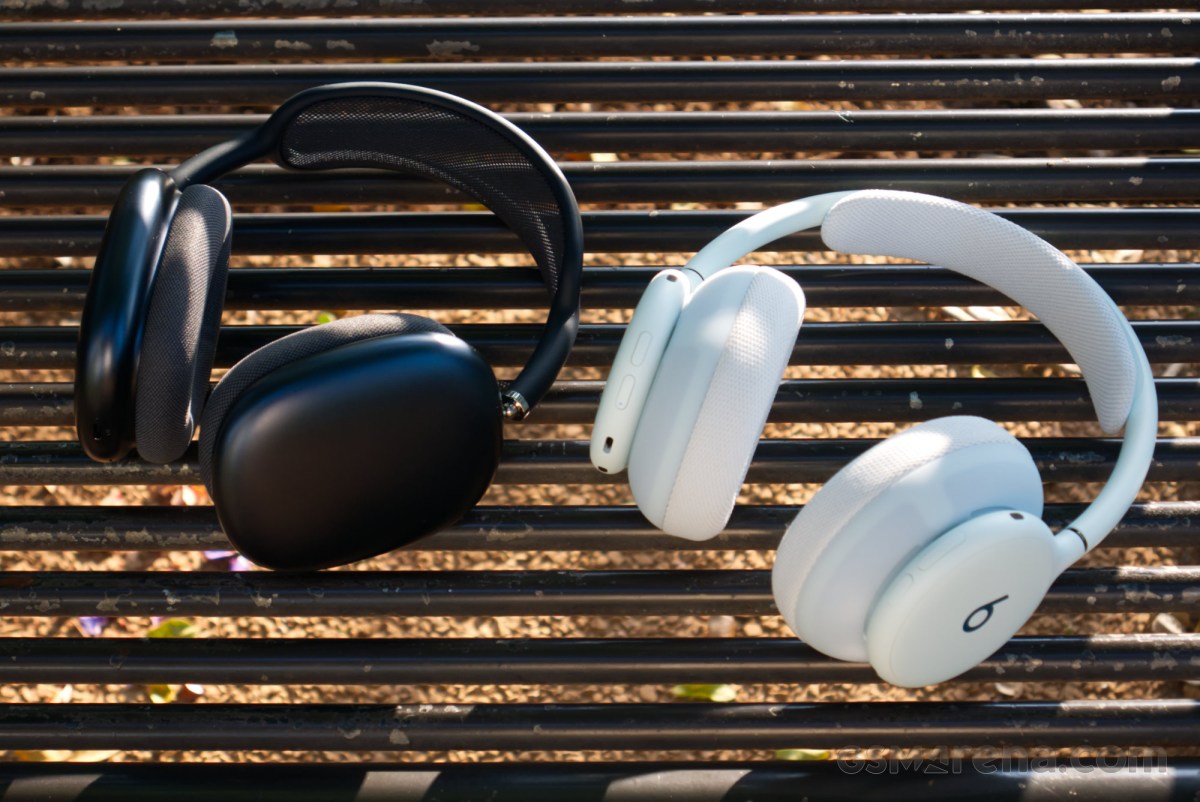
Compared to the AirPods Max 2, the Beats 360 ANC was almost as good. The Max 2 did slightly better with certain sounds, such as vehicle engine noises, which would occasionally come through the speakers to a degree on the Beats 360, but other than that, they were quite close. The pads on the Beats 360 were actually better; for my head, the 360’s spherical pads offered perfect coverage even if the neck was moved. In comparison, the square pads on the AirPods Max 2 broke contact with the skin on the sides if I looked sideways, allowing noise to seep in.
The transparency effect on the Beats 360 isn’t as good as on the AirPods. The sound is natural, but it is on the quieter side, which could make some sounds harder to perceive. If Beats could dial up the volume just a little bit on it, or, better yet, provide a slider for it, then it could be really good. The AirPods Max 2 transparency just sounds clearer in comparison.
Battery life
The Beats 360 have a claimed battery life of 32 hours.
I first started testing the claim by pairing the headphones with an Android device. The result was a staggering 46 hours of continuous playback, which is way beyond the claimed figure.
After that, I switched to testing with an iPhone. This time I got over 37 hours of playback, which is a lot closer to the claimed number. In actual use, with more prominent ambient noise and potentially higher volumes, the result could be close to Beats’ claimed figure.
The Android number is then interesting. Clearly, the headphones do a lot more when paired with an Apple device. What exactly that is is unclear. No specific features like Spatial Audio were enabled for the iOS testing, and the headphones were factory reset between each cycle. It just does more stuff somehow that requires over 20% more power.
Beats 360 vs. AirPods Max 2
Compared to Apple’s flagship headphones, the Beats 360 manage to hold their own. Aesthetics are subjective, but while the AirPods are made out of nicer-looking and feeling materials, the Beats 360 are more durable and even have splash resistance. Comfort is iffy on both due to short headband adjustment and high clamping force, but the AirPods compound that by also weighing a ton, while the Beats 360 weight is perfectly manageable.
In terms of features, the AirPods are clearly better. The more advanced Apple H2 just enables a lot more stuff that the Beats 360 cannot compete with. This also includes better microphone performance and slightly better ANC and transparency mode quality, along with Adaptive EQ that works at all times. The AirPods also have wired input, which the Beats lack.
The ace in the hole for the Beats is audio quality. The AirPods tuning leaves a lot to be desired, and the Beats 360 pull ahead by offering a much more balanced and sophisticated sound. To top it off, the Beats 360 also last longer, doubly so if you pair them with Android. Which brings us to the last part: the Beats 360 can also be used with Android, or any operating system for that matter, whereas the AirPods Max 2 are only really designed to be used with Apple products.
For $200 less, the Beats 360 are a better purchase, full stop.
Conclusion
The Beats 360 are really good headphones for the most part. The replaceable cushions are great from a durability, longevity, or even customizability perspective, and I also think the headphones look quite nice. They also have good overall audio quality thanks to sensible tuning, and good battery life, especially on Android. The active noise cancellation also works quite well. They also work really well with Apple devices, as you’d expect from a modern Beats product.
There are a few critical issues with these headphones. Comfort can be quite polarizing, due to the limited headband adjustability and the high clamping force. The feature set and performance are also hampered by what is quite likely to be Apple’s old H1 chip inside. And finally, there is a persistent background hiss when the headphones are on, due to the high noise floor of the audio circuitry.
At $350, the price is a bit steep. One way to make it instantly feel better would be to bundle at least one additional pair of cushions, preferably of the softer UltraPlush variety. This would further drive home the customizable angle of these headphones while making the price tag far more palatable.
Unfortunately, that's not the case. So while the Beats 360 may be better value than Apple’s flagship AirPods Max 2, it would still be prudent to wait for a discount before picking these up.