
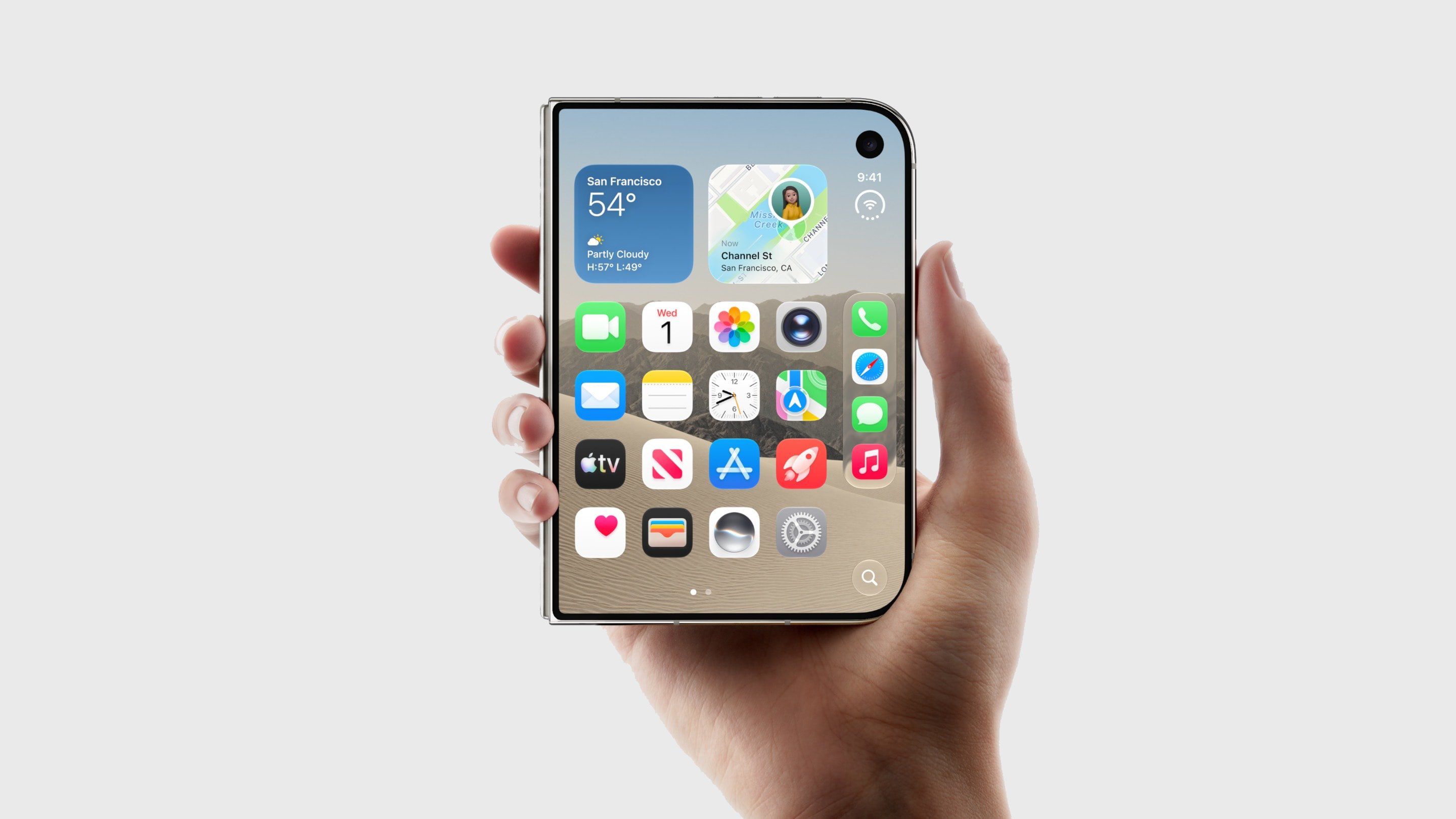
The new iPhone Duo drops both the classic Ring/Silent switch as well as the newer Action button, so there is no physical mute control on the device, and no way to assign the Silent Mode control to another button. That said, you can still silence the device pretty quickly – you just do it on-screen instead using a new way to invoke Control Center.
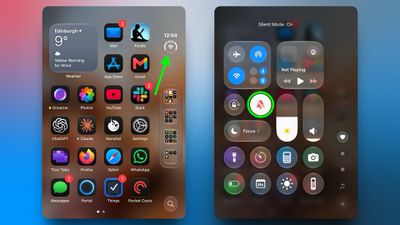
With your device unlocked, open Control Center by tapping the circular "status bar" icon, then tap the Silent Mode button (the bell icon). That's all there is to it.
A Silent mode indicator appears in the status bar while it's on, but you can hide this by toggling on the switch next to Settings ➝ Sounds & Haptics ➝ Show in Status Bar.
How to Add Silent Mode to Control Center
Silent Mode is included in the default set of controls at the top of the Control Center, but if you don't see it, you can add it manually by following these steps:
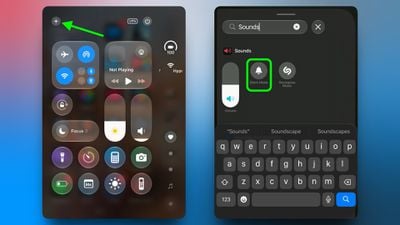
- Tap the circular status bar icon to open Control Center.
- Tap the plus (+) icon in the top-left corner, then tap Add a Control at the bottom of the screen.
- Scroll down to the Sounds section or use the search bar to find it, then select Silent Mode.
Keep in mind that Silent Mode mutes calls and alerts, but alarms and media audio still play. For scheduled quiet time, you can always set up a Focus instead.
Popular Stories
Apple Retail Staff Told to Warn Against iPhone Duo Walk-In Purchases
Some Apple retail employees have been told to warn customers against visiting to purchase an iPhone Duo without a pre-order on Friday, October 23. Apple Store employees told MacRumors that they have been advised that there will likely be no iPhone Duo stock available for walk-in purchases on launch day. Staff have been instructed to discourage customers without pre-orders from coming in...
Here's What Apple's Apps Look Like on the iPhone Duo
Tuesday October 20, 2026 11:12 am PDT by Juli Clover
With just three days to go until the iPhone Duo is released, Apple is getting ready for the launch. Behind the scenes, the App Store now has screenshots of Apple's built-in apps running on the Duo. We've seen some apps in marketing materials, but images of the ones we haven't seen give us an idea of what it will be like using the iPhone Duo day to day. Many apps are shown in landscape...
Crackgate? iPhone Duo Owners Report Screens Breaking Along the Hinge
Friday October 23, 2026 11:05 am PDT by Juli Clover
Some iPhone Duos are already experiencing hinge issues that cause display cracks, based on photos shared on Reddit and the MacRumors forums. Almost all of the display faults are right along the hinge, and most result in a line of bright pixels across one side of the screen. An iPhone Duo owner in Australia said his device cracked after being opened fewer than 20 times, and there was no...