Monday November 23, 2026 7:37 am PST by Joe Rossignol
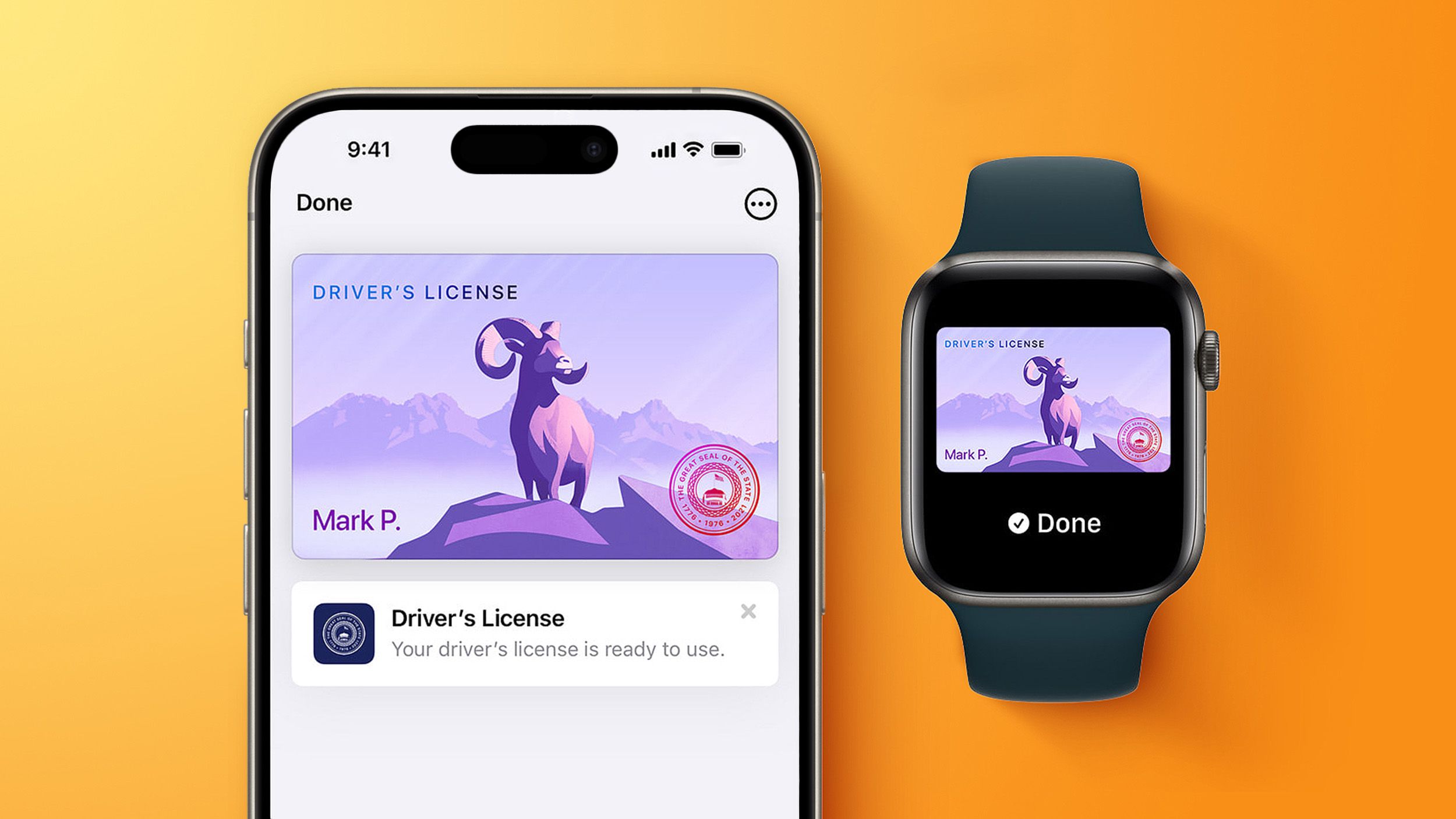
Starting next year, residents of Connecticut will be able to add their driver's license or state ID to the Apple Wallet app on the iPhone and Apple Watch. The digital ID can be used to display proof of identity or age at TSA checkpoints in select airports, at select businesses, and in select iPhone apps, but acceptance is still very limited.
Last week, Connecticut released a mobile ID app on iOS and Android, and the app's developer IDEMIA said Apple Wallet, Google Wallet, and Samsung Wallet support will be "coming soon." In a May 2026 press release, Connecticut Governor Ned Lamont's office said it aimed to support the trio of digital wallets "by August 2027."
All the way back in September 2021, Apple announced that Connecticut had "signed up" to offer driver's licenses and state IDs in the Apple Wallet app, but more than five years have passed and nothing has materialized. With a goal of August 2027 now in place, though, the functionality should finally be available next year.
16 other U.S. states have rolled out Apple Wallet IDs so far: Arizona, Arkansas, California, Colorado, Georgia, Hawaii, Illinois, Iowa, Maryland, Montana, New Mexico, North Dakota, Ohio, Oklahoma, Virginia, and West Virginia. The feature is also available in Puerto Rico and works with Japan's My Number Card.
Apple has also been preparing for the feature to go live in North Carolina and Utah over the coming months, and years ago it announced that Kentucky and Mississippi were committed to launching the feature at some point.
To set up the feature, open the Wallet app on the iPhone and tap on the plus sign in the top-right corner. Next, tap on Driver's License and ID Cards, select your state from the list, and follow the on-screen steps to complete the process. Then, you can present your digital ID where it is accepted without handing over your device.
You can present an Apple Wallet ID where accepted by simply tapping your iPhone or Apple Watch on an identity reader. Then, you will be able to view the specific information being requested by the TSA or business. Only after authorizing with Face ID or Touch ID is the requested identity information released from your device.
As mentioned, you do not need to unlock, show, or hand over your device to present an Apple Wallet ID in person, ensuring user privacy.
Apple Wallet IDs are accepted at TSA checkpoints in more than 250 airports across the U.S. for domestic travel, according to Apple.
Apple Wallet IDs are generally not accepted by law enforcement, so carrying a physical ID is still legally required for traffic stops. In addition, the number of businesses that accept Apple Wallet IDs is still quite small.
Popular Stories
Apple Reportedly Plans to Release These Products in February or March
Sunday November 22, 2026 7:32 am PST by Joe Rossignol
Apple plans to unveil an iPhone 18e, iPhone 18, updated entry-level iPad, and new MacBook Neo and MacBook Air models around February or March next year, according to the latest word from Bloomberg's Mark Gurman. In his Power On newsletter today, Gurman said Apple has some additional products planned for the first half of 2027, including the iPhone Air 2 and new iPad Air and iPad Pro models,...
Apple Announces 2025 Design Award Winners Ahead of WWDC 2025
Tuesday June 3, 2025 10:14 am PDT by Juli Clover
As we wait for WWDC to kick off next Monday, Apple today announced the winners of its annual Apple Design Awards, recognizing apps and games for their innovation, ingenuity, and technical achievement. The 2025 Apple Design Award winners are listed below, with one app and one game selected per category: Delight and Fun - CapWords (App) and Balatro (Game) Innovation - Play (App) and PBJ -...
Apple Black Friday Deals Available Now: AirPods, Apple Watches, MacBooks, and More
Black Friday is almost here, taking place on Friday, November 27 in 2026. As always, this will be the best time of the year to shop for great deals, including popular Apple products like AirPods, iPad, Apple Watch, and more. Note: MacRumors is an affiliate partner with some of these vendors. When you click a link and make a purchase, we may receive a small payment, which helps us keep the site ...